

With the rise of digital devices in our daily lives, eye strain has become a widespread issue. As we spend more time staring at screens—whether it’s for work, study, or leisure—our eyes are subjected to constant stress. Traditional screens, such as those on smartphones, laptops, and tablets, emit light, which can cause discomfort after extended use.
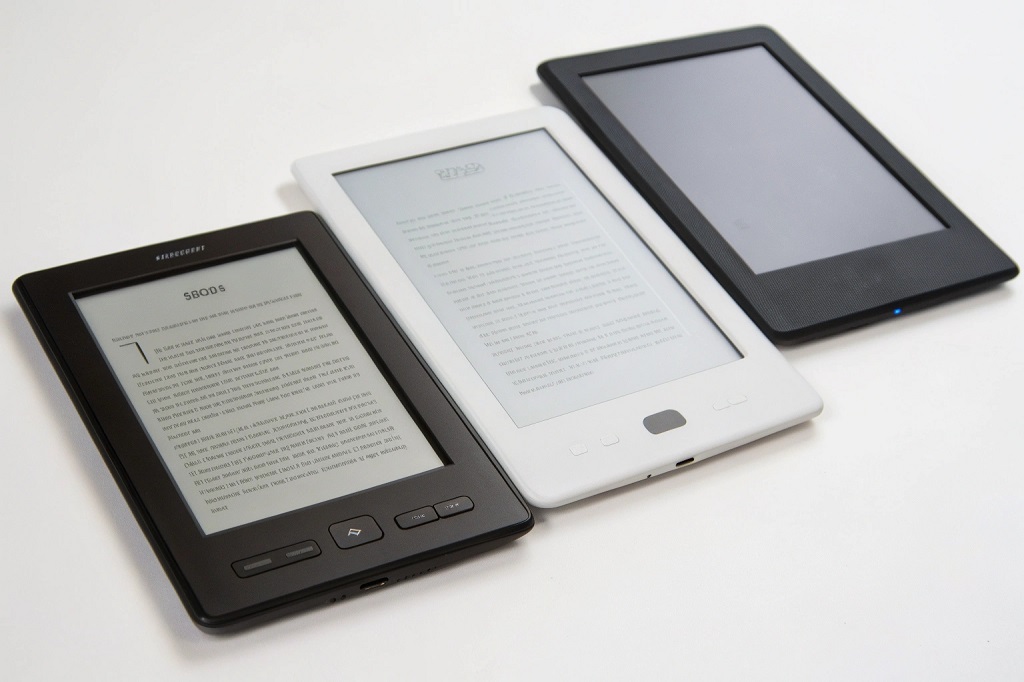
This is where E-Ink tablets come in. E-Ink, or electronic ink, technology is known for its paper-like display, which offers a more comfortable reading experience and can help reduce eye strain. In this article, we will compare some of the top E-Ink tablets on the market today, exploring their history, benefits, challenges, and how they perform in terms of reducing eye strain.
History of E-Ink Technology
Origins of E-Ink
E-Ink technology was developed in the late 1990s by a team led by Joseph Jacobson at MIT Media Lab. The primary goal was to create a display that could mimic the look and feel of paper while using minimal power. The result was a display that used electronic ink to create text and images, with no backlight required. This innovation became the foundation for the E-Ink displays we see in modern tablets and e-readers.
Evolution and Adoption
In the early 2000s, E-Ink technology was used primarily in e-readers, with the first commercially successful product being the Sony Librie in 2004. The Kindle, launched by Amazon in 2007, revolutionized the e-reader market, further popularizing E-Ink displays. Over time, other manufacturers like Kobo, Onyx, and Remarkable began to adopt E-Ink screens for their devices.
Today, E-Ink is not just limited to e-readers but has expanded into tablets, notepads, and even digital signage. The technology continues to evolve, with newer iterations offering better contrast, faster refresh rates, and more color options.
Key Concepts of E-Ink Tablets
How E-Ink Technology Works
E-Ink displays work by using tiny microcapsules filled with black and white particles that move in response to an electric field. The screen uses no backlight; instead, it relies on ambient light to make the text and images visible. This is one of the main reasons why E-Ink screens are so effective in reducing eye strain. Without a backlight emitting blue light, E-Ink displays are less harsh on the eyes, especially during long reading sessions.
Benefits of E-Ink Displays
E-Ink screens offer several benefits over traditional LCD and OLED screens:
-
Reduced Eye Strain: As there is no backlight, E-Ink displays cause less eye fatigue, making them ideal for long reading or writing sessions.
-
Paper-like Display: The matte finish and non-reflective surface of E-Ink displays mimic the appearance of paper, which reduces glare and provides a more natural reading experience.
-
Extended Battery Life: E-Ink displays consume very little power. Some E-Ink devices can last for weeks on a single charge.
-
Outdoor Readability: E-Ink tablets perform well in direct sunlight, unlike traditional screens, which can become difficult to read outdoors due to glare.
Limitations of E-Ink Displays
Despite the advantages, E-Ink technology has some limitations:
-
Slow Refresh Rate: While newer E-Ink displays have improved in this area, they are still slower than traditional screens, which can be an issue for tasks like browsing the web or watching videos.
-
Limited Color Range: Traditional E-Ink displays are typically limited to grayscale, though color E-Ink is emerging but not yet as widely available or vibrant as LCD and OLED displays.
-
Resolution and Detail: While E-Ink displays are excellent for reading text, they may not provide the same level of detail for high-resolution images or videos.
Top E-Ink Tablets for Reducing Eye Strain
Now that we understand the benefits and limitations of E-Ink technology, let’s compare some of the top E-Ink tablets on the market today. These devices have been specifically designed to offer a comfortable reading experience and reduce eye strain.
1. Remarkable 2
Overview
The Remarkable 2 is a premium E-Ink tablet designed for note-taking, sketching, and reading. With its 10.3-inch display, it offers a paper-like experience that is ideal for reducing eye strain. The device is particularly popular among professionals and students who want a device for digital note-taking.
Key Features
-
Display: 10.3-inch E-Ink Carta screen with 1872 x 1404 resolution
-
Refresh Rate: Fast enough for writing and note-taking without noticeable lag
-
Battery Life: Lasts up to 2 weeks on a single charge
-
Additional Features: Supports stylus input for writing and drawing, highly responsive to pressure and tilt
Pros
-
Excellent for writing and drawing with a highly responsive stylus.
-
Long battery life, reducing the need for frequent charging.
-
Ultra-thin design (4.7mm thickness).
Cons
-
No color display, limited to grayscale.
-
No backlight, which can make reading in low light challenging.
-
Expensive compared to other E-Ink tablets.
2. Onyx Boox Nova Air 2
Overview
Onyx Boox Nova Air 2 is a versatile 7.8-inch E-Ink tablet that supports reading, writing, and even basic browsing. Its smaller size makes it a more portable option for those on the go.
Key Features
-
Display: 7.8-inch E-Ink Carta screen with 1872 x 1404 resolution
-
Refresh Rate: Improved refresh rate for smoother navigation
-
Battery Life: Up to 4 weeks on a single charge
-
Operating System: Android, which allows for third-party apps
Pros
-
Supports Android apps, offering more versatility.
-
Compact and lightweight, perfect for portability.
-
Customizable display settings for better readability.
Cons
-
Smaller screen may not be suitable for everyone.
-
Occasional performance lag when using non-native apps.
3. Kindle Oasis (with E-Ink Display)
Overview
The Kindle Oasis is one of the most well-known e-readers on the market, offering an E-Ink display with a built-in backlight. It’s designed for reading and is especially effective in reducing eye strain thanks to its high-quality screen and ergonomic design.
Key Features
-
Display: 7-inch E-Ink Carta HD screen with 300 ppi resolution
-
Adjustable Warm Light: Customizable backlight with a warm color option
-
Battery Life: Up to 6 weeks on a single charge
-
Waterproof: Ideal for reading by the pool or in the bath
Pros
-
High-resolution display provides clear, crisp text.
-
Adjustable backlight for better reading in various lighting conditions.
-
Waterproof, making it ideal for beach or poolside reading.
Cons
-
Smaller screen size may not be suitable for everyone.
-
Backlight can cause eye strain if not adjusted properly.
Comparison Table of E-Ink Tablets
| Feature | Remarkable 2 | Onyx Boox Nova Air 2 | Kindle Oasis |
|---|---|---|---|
| Display Size | 10.3 inches | 7.8 inches | 7 inches |
| Resolution | 1872 x 1404 | 1872 x 1404 | 300 ppi (1448 x 1072) |
| Battery Life | Up to 2 weeks | Up to 4 weeks | Up to 6 weeks |
| Backlight | No | Yes (Adjustable) | Yes (Adjustable) |
| Stylus Support | Yes (Responsive) | Yes (Limited) | No |
| Operating System | Custom OS | Android | Amazon’s Custom OS |
| Waterproof | No | No | Yes |
| Price Range | High | Mid | Mid-High |
Benefits of Using E-Ink Tablets for Eye Strain Reduction
Reduced Blue Light Exposure
E-Ink tablets help reduce eye strain by eliminating blue light emissions that are common with traditional LCD and OLED screens. Blue light has been linked to sleep disturbances and increased eye fatigue, particularly when used late at night. E-Ink devices, with their non-backlit screens, provide a more natural reading experience.
No Flickering or Glare
The absence of a backlight also eliminates flickering, which is a common issue with LCD screens. Flickering can cause eye strain, headaches, and discomfort. Additionally, E-Ink tablets are designed to minimize glare, ensuring that users can comfortably read in various lighting conditions, including bright sunlight.
Long-Term Comfort
For readers who spend long hours on their devices, E-Ink tablets offer an experience much closer to reading physical books. The paper-like display is gentle on the eyes, providing extended comfort during long sessions without the discomfort of traditional screens.
Challenges and Considerations
Limited Functionality
E-Ink tablets are typically optimized for reading and note-taking, which means they may not offer the same level of functionality as regular tablets or smartphones. Users who require features like web browsing, video streaming, or gaming may find these devices limiting.
Price Point
High-quality E-Ink tablets, especially those with advanced features like stylus support, tend to be more expensive than their traditional LCD counterparts. This could be a barrier for budget-conscious consumers.
Slow Refresh Rates
While newer E-Ink displays have improved refresh rates, they are still slower than traditional screens. This can make tasks like web browsing or interacting with apps feel sluggish, which may be frustrating for some users.
Future Trends in E-Ink Tablets
Color E-Ink Displays
The future of E-Ink technology lies in color displays. E-Ink’s “Color E-Ink” technology is already available in some limited-use cases, such as digital signage and color e-readers. As the technology improves, we can expect to see more color E-Ink tablets that retain the benefits of reduced eye strain while offering richer visual experiences.
Read More Also: Crystal Clear: How to Clean Your Fish Aquarium Rocks
Faster Refresh Rates
As demand for more versatile E-Ink tablets grows, manufacturers will continue to focus on improving refresh rates. This will make E-Ink devices more suitable for a wider range of tasks, such as web browsing and gaming.
Enhanced Interactive Features
Future E-Ink devices may also integrate more interactive features, such as better support for stylus input, gesture controls, and more advanced app capabilities. This will open up possibilities for creative professionals and students who need a device for digital art and note-taking.
Read More Also: The 7 Best Countertop Grills for Indoor Grilling With Minimal Smoke
Conclusion: Choosing the Right E-Ink Tablet for Eye Strain
When it comes to reducing eye strain, E-Ink tablets are an excellent choice. Their paper-like display, lack of blue light emission, and low glare make them ideal for long reading sessions and note-taking. While each device has its unique strengths, the Remarkable 2, Onyx Boox Nova Air 2, and Kindle Oasis stand out as top options in the market.
By considering factors such as display size, battery life, functionality, and additional features, you can select the E-Ink tablet that best fits your needs. As the technology continues to evolve, the future looks bright for E-Ink devices in providing a more comfortable and sustainable digital experience.

